Versatile media player for any video format

Sometimes your video player can't play all the files that you want it to. Only the most versatile programs - like VLC Player - can help in such circumstances and Total Video Player is a welcome addition to this family.

Forget formatting problems

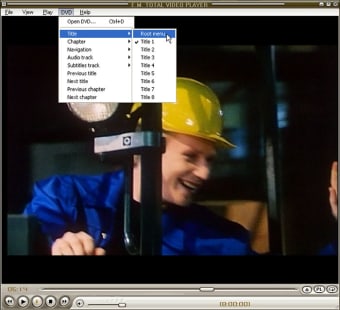
It truly is a universal player and there's little you can throw at it, either audio or video, that it won't be able to handle. For some reason however, the developers have not included the ability to view subtitles or change the audio track.

You can only select a single audio track, which is a bit annoying. Indeed, audio in general is limited with few equalization options other than a basic volume control.

Not so easy listening

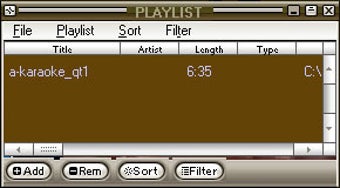
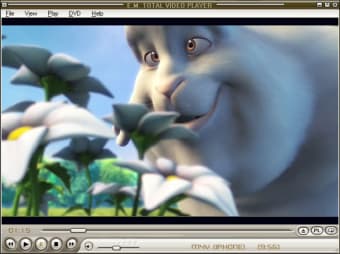
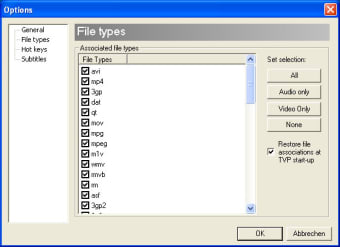
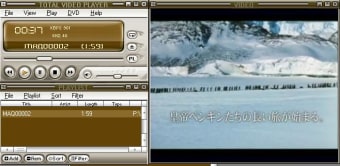
Total Video Player reads all major video and audio formats including 3GP, MP4, FLV, and DVD. The interface is very straightforward featuring a file menu, scroll bar, library files, and shortcuts that integrate simply with the file being played.

Almost all good

Total Video Player can play just about anything. If only it could handle subtitles and audio better, it would be a much better product.


  • Pros

    • Plays a huge variety of formats
    • Simple to use
  • Cons

    • Doesn't support subtitles
    • Doesn't handle audio well
 0/6

App specs

  • License

    Free

  • Version

    1.31

  • Latest update

  • Platform

    Windows

  • OS

    Windows 2000

  • Language

    English

    Available languages

    • Danish
    • German
    • English
    • Spanish
    • French
    • Italian
    • Japanese
    • Dutch
    • Polish
    • Chinese
  • Downloads

    2.1M

    Last month's downloads

    • 134
  • Size

    3.84 MB

  • Developer

Program available in other languages


User reviews about Total Video Player

3.5

2 reviews

Add review

Main reviews for you

  • Anonymous user

    Total video player. As soon as I got it, I tried to play a GIF file. Just crashed straight up. Such a 'great' product right here. Just greys out any video I play on it to. This thing is crap, don't even waste the download. Pros: Nothing Cons: Doesn't Play Any Files Correctly

  • Anonymous user

    EM Total Video Player. Whenever I have a file that will not play in VLC, I open TVP..works every time. I find both of these players sufficient to play any video file. Pros: Seems to play all files. Cons: Not the best looking interface. Not reviewed often enough to get it the supporters it deserves.

More

You may also like

Alternatives to Total Video Player

Explore Apps

Latest articles

Laws concerning the use of this software vary from country to country. We do not encourage or condone the use of this program if it is in violation of these laws.
Softonic

Is Total Video Player safe?

98/100

Score result: Clean

This file passed a comprehensive security scan using VirusTotal technology. It is safe to download.

  • Virus free
  • Spyware free
  • Malware free
  • Verified by Security Partners

    VirusTotal logo

Scan Info

Last scan
Saturday, October 3, 2020
Scan provider
VirusTotal · Full report

File Integrity

File
tvpsetup.exe
SHA256
772a958629da4964b9cc0668367b7b4f8b71a6d6a90bd61bd50ebf34e801363a
SHA1
9583738aa61eb78fa64058de72a08a1ac7bb5888

Softonic security commitment

Total Video Player has been thoroughly scanned by our advanced security systems and verified by industry-leading partners. This file comes from the official developer and has passed all our security checks, showing no signs of viruses, malware, or spyware. For more information, visit our Security and Trust Center